

Michelle Schuberg
Co-founder and CEO
Leads product and experience strategy, making complex information easier for people to understand and use.
Routes planned for your trucks. Licences managed in one place.
Built by United Intelligence, PadRoute gives drivers Network Preferred routing that prioritises roads approved for their vehicle, plus turn-by-turn guidance to follow in the cab.
Manage PadRoute Pro across your fleet with central purchasing, device enrolment and licence assignments.
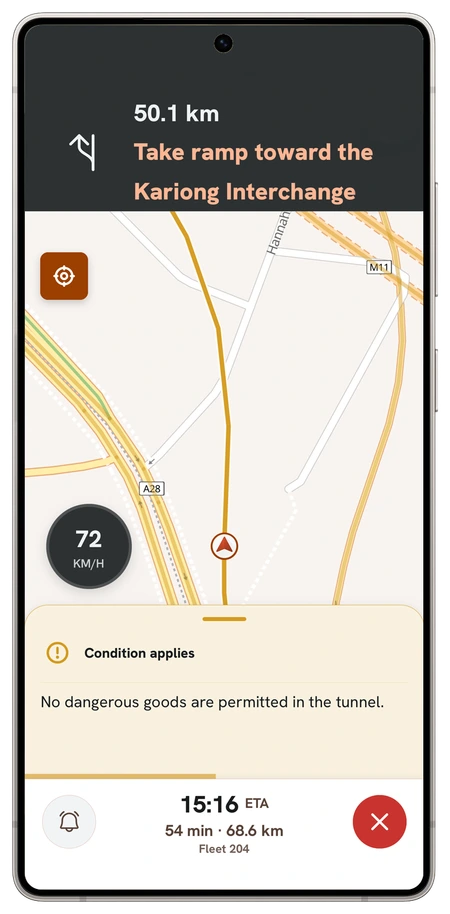
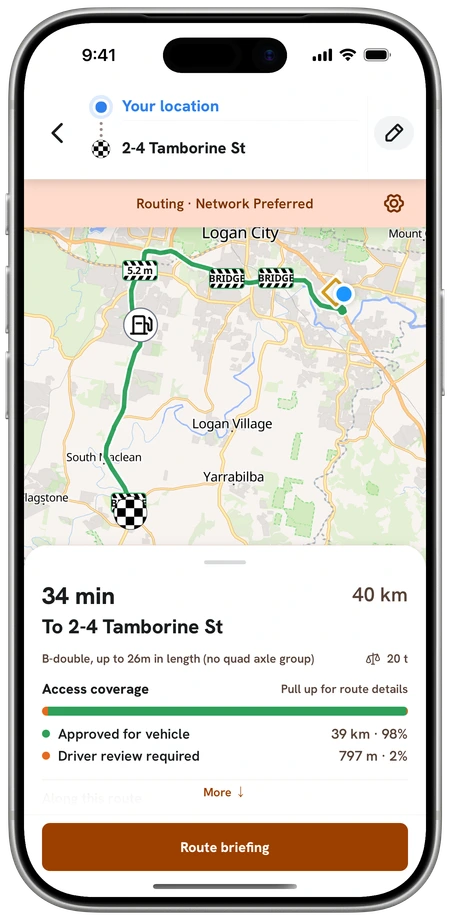
Network Preferred uses your vehicle’s recognised access networks when choosing the route. It seeks out roads shown as approved for your selected vehicle in the public access data it supports, with conditions and official sources available to check.
Compare the same journey using Standard and Network Preferred routing to see how that changes the roads you take.
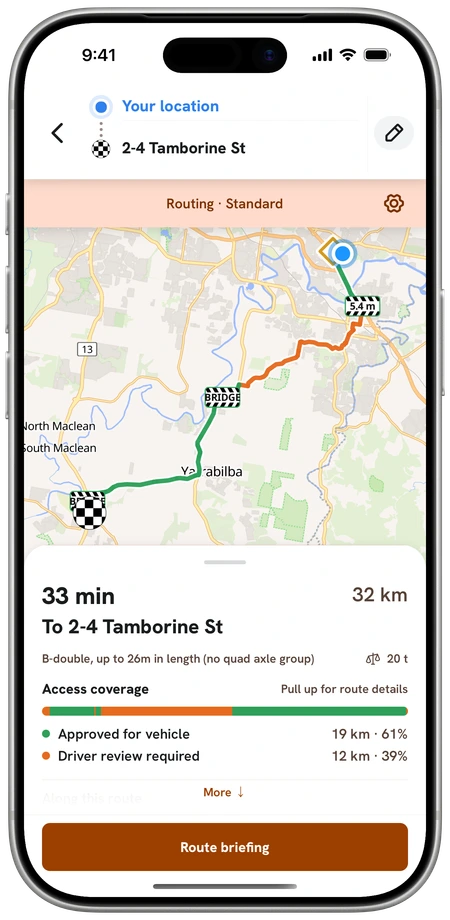
Same B-double, loaded weight, start and destination.
In this journey, Network Preferred adds 8 km and about one minute, reducing the distance requiring driver review from 12 km to 797 m.
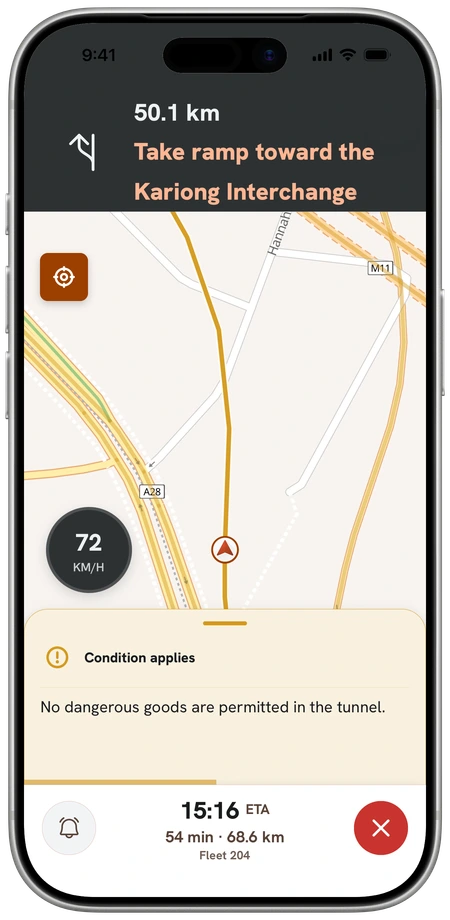
PadRoute brings heavy-vehicle route planning and turn-by-turn guidance into one app. Generate a route in the cab for the vehicle taking the job, or import an existing NHVR route link or supported route file.
Review the journey’s conditions and official sources before setting off, then follow turn-by-turn guidance. Published access information and useful stops sit alongside the route, with warnings when access status changes ahead.
Less time piecing together the trip. A clearer route for the driver to follow.
Explore PadRoute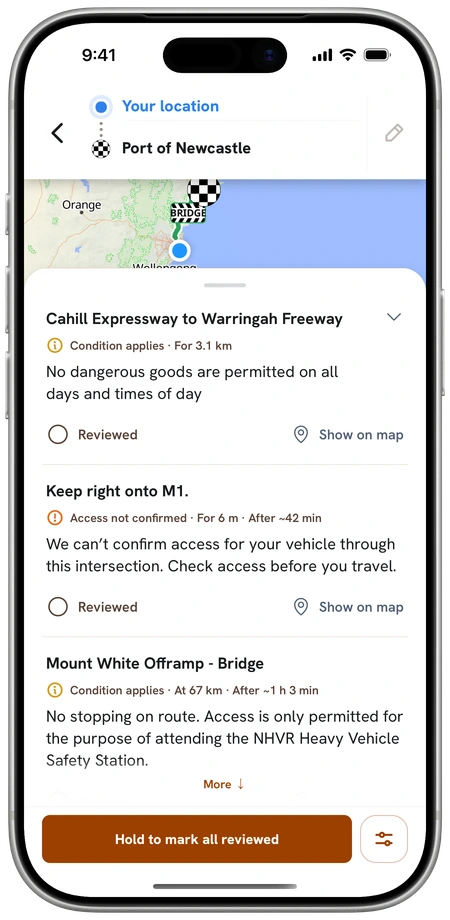
Access conditions and journey requirements still need to be checked. PadRoute does not replace permits, official information or driver judgement. Road-access coverage depends on the available source data and location.
Give your drivers PadRoute Pro without managing a separate subscription on every device. United Intelligence Fleet gives your organisation one place to purchase licences, enrol devices and see where licences are assigned.
Invite colleagues to help administer your organisation and manage device licence assignments as your needs change. One licence covers one phone or tablet at a time.
See Fleet pricing

See Fleet pricing and purchase the device licences your organisation needs.
Create your account and invite the colleagues who will help manage Fleet.
Connect your phones or tablets and assign licences to enable PadRoute Pro.
You can get started yourself, with help available if you need it.
Buying for yourself? Explore PadRoute and personal plans at padroute.com.
United Intelligence brings product strategy grounded in human behaviour together with technology development and practical safety experience.
Co-founder and CEO
Leads product and experience strategy, making complex information easier for people to understand and use.

Co-founder and CTO
Leads technology and product development, bringing complex data and practical workflows into usable software.

Co-founder, safety and operations
Brings operational safety experience into product decisions, testing how the proposed approach would work on the job.
Michelle and Phil previously worked together at Curiious on technology-led training for transport and heavy industry, including LINX Cargo Care Group. United Intelligence is a Pleasant Company venture.
We start with the person using the system: what they need to know, what the job asks of them and what happens when conditions change. That is how we turn a requirement into something useful in the field.
The route is agreed, but difficult to follow in the cab. A safety control depends on another form. The evidence sits across several systems. These are the practical gaps we want to help solve.
We work with safety and operations teams to define a specific problem, test a practical response and agree what would show it is working. That might begin with PadRoute or a focused review or pilot for another frontline workflow.
Define the problem Agree the scope and cost Test in the operation
Discuss your operationYou do not need a polished brief. Tell us what happens now, who it affects and what needs to work better. We will help identify a useful next step.
hello@unitedintelligence.com.au