
Heavy-vehicle route planning and guidance in one app.
PadRoute helps drivers plan for the vehicle they are actually driving. Network Preferred routing uses the vehicle's dimensions, weight and recognised access networks to prioritise roads approved for that vehicle, even when that means a longer route.
Drivers can generate routes in the cab, review the journey and follow turn-by-turn guidance. United Intelligence Fleet brings PadRoute Pro to your organisation's phones and tablets, with central purchasing and device licence management.
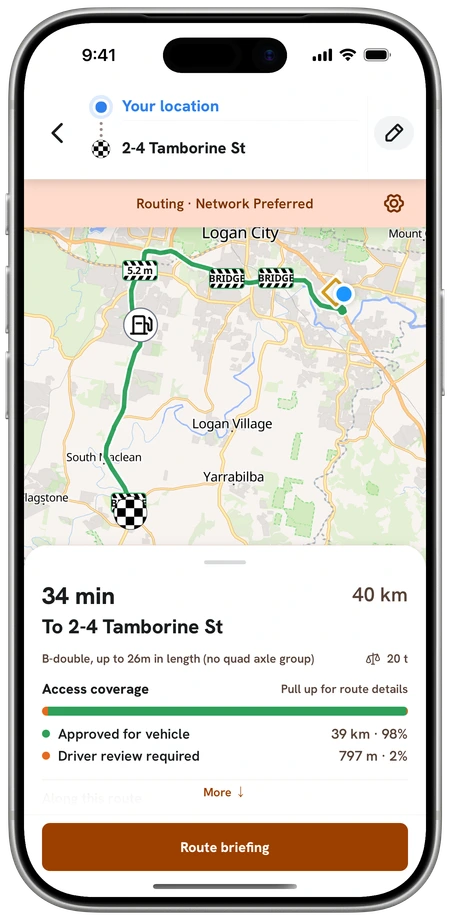
Put your vehicle's networks into the route.
A shorter journey can leave more road access for the driver to check. Network Preferred actively favours roads on the selected vehicle's recognised networks when calculating the route to a destination.
Adjust network priority to weigh detours against staying on recognised roads. The result shows how much of the journey is approved for the vehicle and where driver review is still required. Conditions and gaps remain visible, including the roads connecting a site to the wider network.
Standard routing is also available, with access issues highlighted for review.
Choose the vehicle. Plan the route. Follow it in the cab.
Choose your vehicle.
Select the combination you are driving and check its dimensions, loaded weight and recognised access networks.
Plan the route.
Generate a route from your location to the destination, or bring an existing plan into PadRoute Pro using a shared NHVR route or a GPX, KML or GeoJSON file. Review conditions and sections needing attention before setting off.
Follow it in the cab.
Use turn-by-turn guidance, with useful stops and access information available along the way. PadRoute can warn when the access status changes ahead.
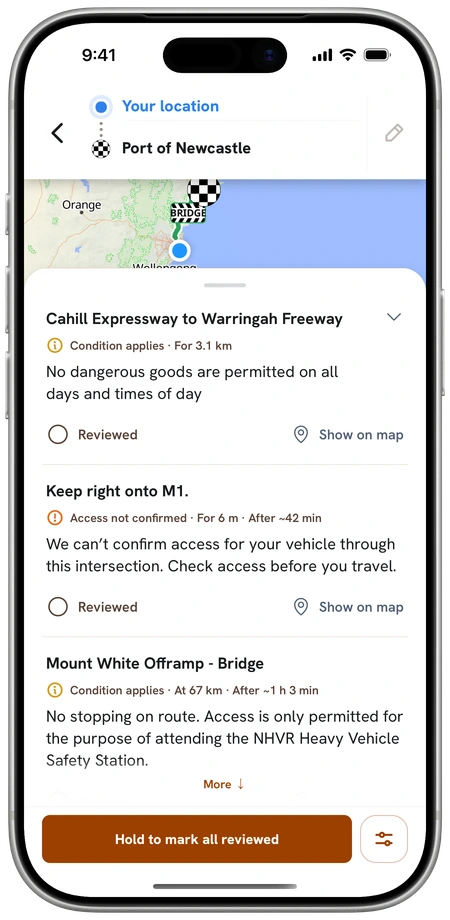
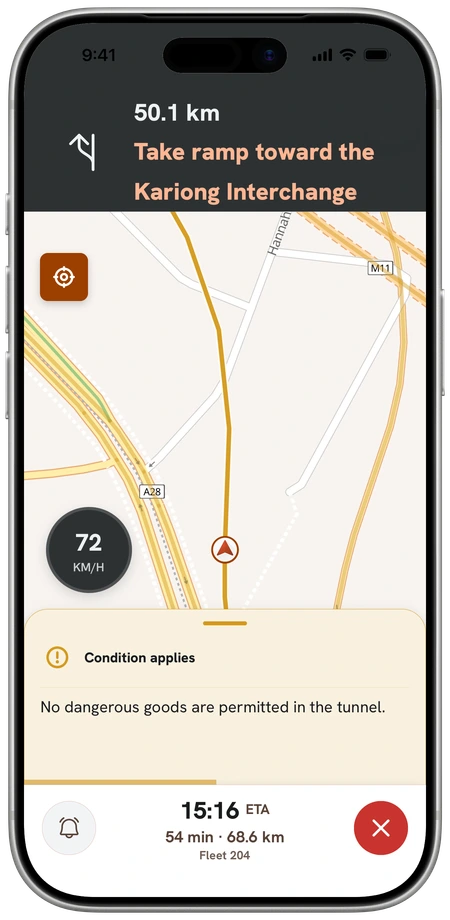
Less time piecing together the trip. A clearer route for the driver to follow.
More context for the road ahead.
One place to manage PadRoute across your fleet.
Buying separately on every device becomes difficult as a fleet grows. United Intelligence Fleet gives your organisation one dashboard to purchase PadRoute Pro licences, enrol devices and manage assignments.
Invite colleagues to help administer your organisation. See how many licences are purchased, assigned and available, and which devices have a licence.
One licence covers one phone or tablet at a time. Team members do not consume device licences, and a licensed device can be used across different trucks or drivers.


Choose the licences your fleet needs.
Use the calculator to choose your device count and compare monthly and annual billing. Each licensed device gets PadRoute Pro, including unlimited Network Preferred drives, with central device and licence management.
Your fleet. Your price.
PadRoute Pro on every licensed device. One place to manage it all.
Updating your price…
Your current selection is being calculated.
- PadRoute Pro on every licensed device
- Central device and licence management
- Team access and licence reassignment included
Checking checkout…
Purchase your licences, set up your organisation and enrol your devices. You can get started yourself, with help available if you need it.
Get help with setupA few questions before you get started.
For a pilot, integration or requirements beyond the standard product:
Discuss your operation